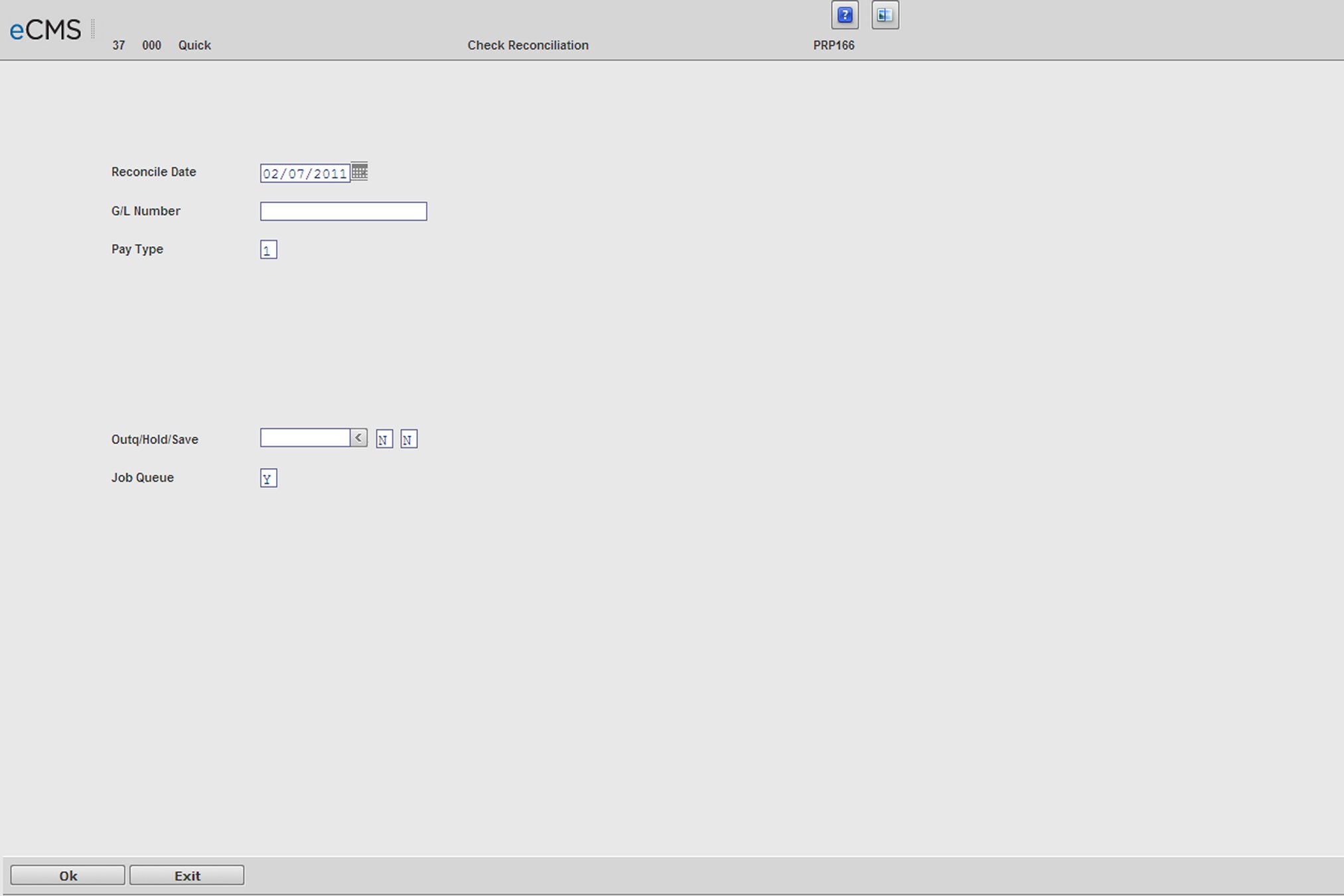
Select this option to list your outstanding payroll checks.
List Outstanding Check Selection screen
Reconcile Date
Enter the date through which the outstanding checks should be listed.
G/L Account Number
Enter a General Ledger Account Number if you want to print outstanding checks from only one account. The system will default to all zeros to print all outstanding checks.
Pay Type
If you have Executive Payroll Security, enter one of the following codes:
1 |
Executive |
2 |
Standard, non-executive payroll data |
3 |
All |
Note: You will be able to use only code 2 if you do not have Executive Payroll security.
Outq/Hold/Save
Enter an Outq identifier to send this report to a specific output queue. Leave this field blank to send the File Listing to the default output queue.
Enter a Y in the Hold field to place this report on hold in the default, or specified, output queue.
Enter a Y in the Save field to print the report, and then place it on hold in the default, or specified, output queue.
Job Queue
Enter a Y to print this report in the Job Queue.
Enter an N to print this report before other jobs in the Job Queue.
 |
Click to print the Outstanding Check Register. |
 |
Click to return to the Main Menu without saving changes. |
