The records maintained in this file are comprised of a list of individuals involved in specific jobs. These records are grouped according to the individual’s role (Customer, Vendor, Employee, and so on) and according to their area of primary responsibility (Architect, Engineer, Estimator, Project Manager, Project Superintendent, Safety Engineer, and Free Form). Name and Job Types print on, and are used as sort criteria for, various reports in eCMS.
This menu option is used to add, delete, and update these records in the Job Description Names file.
From the Main Menu, select Payroll, File Maintenance, Additional File Maintenance, and then click Job Description Names to display the screen below.
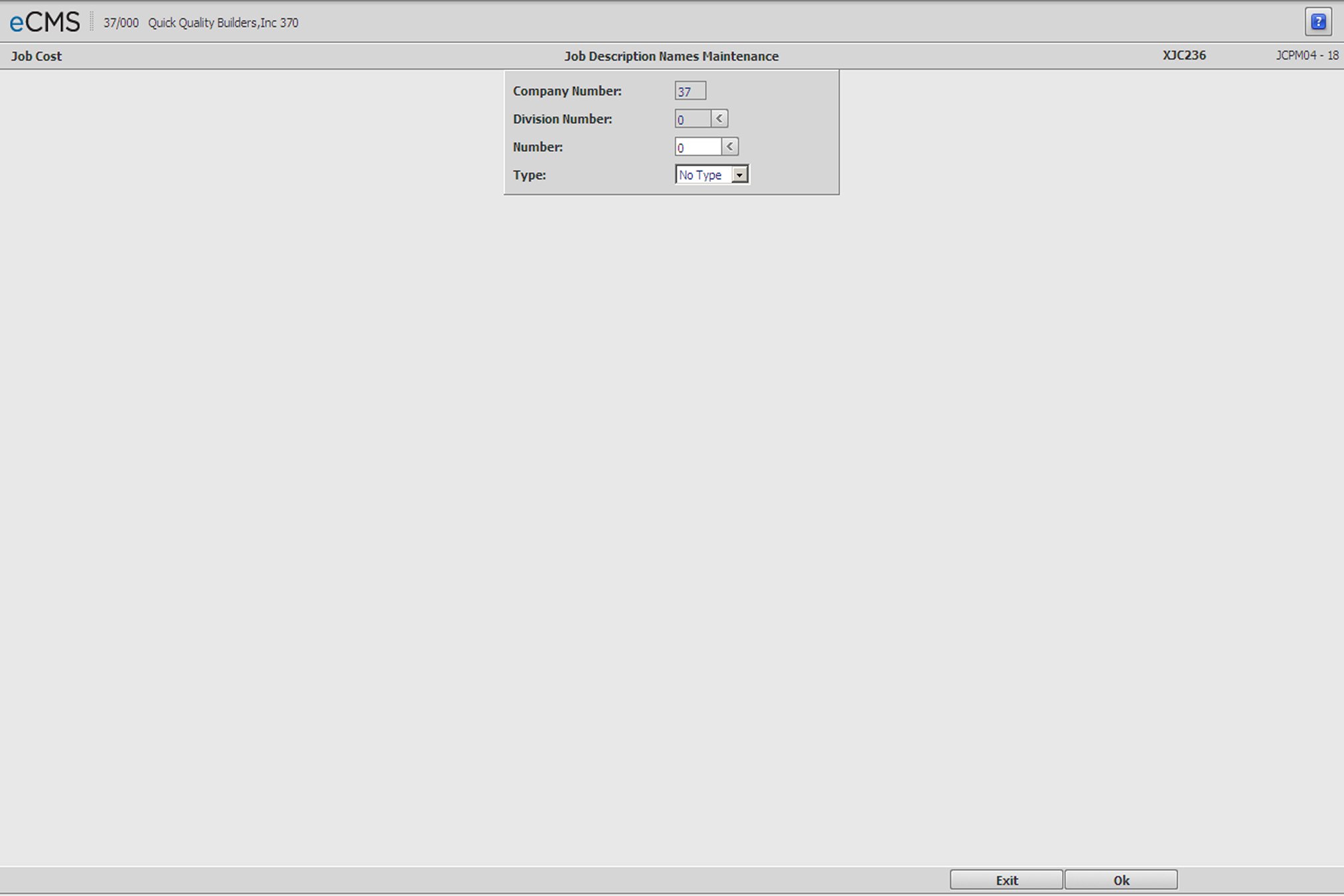
Job Description Names Selection screen
Company/Division Number
Enter the number of the Company associated with this job, or click the Division Number prompt to make these selections from a list.
Number
This entry will be used along with the Type selected in the next field to locate or reference this record. Create a new record by assigning a number that is unique to the following relationship, or modify an existing record by clicking the prompt to select from a current list.
Type
Click the drop-down prompt and select a type for the person assigned to this Job.
|
|
|
|
 |
Click to save changes and to display the Job Description Names Detail screen. |
 |
Click to return to the Main Menu without saving changes. |
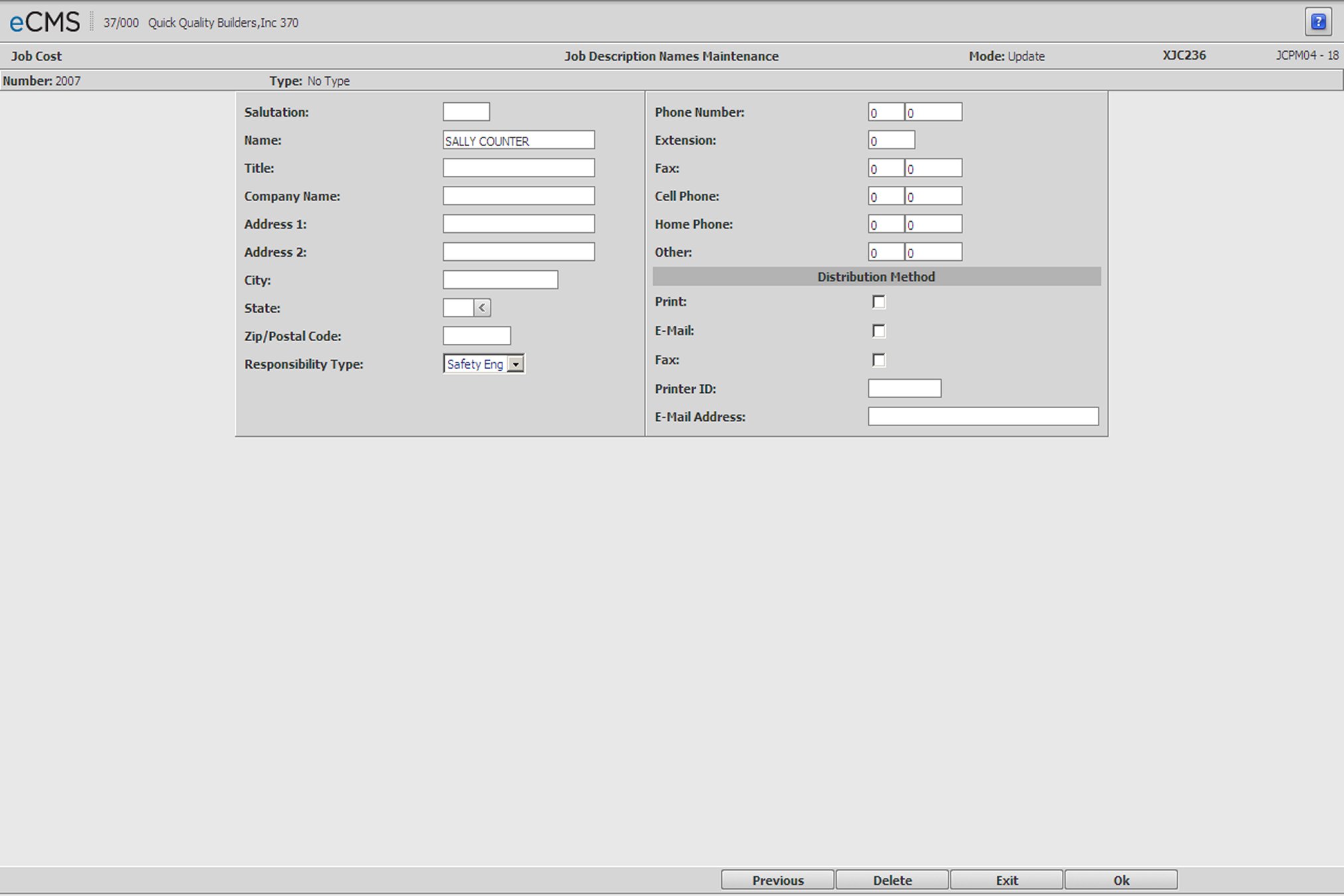
Job Description Names Detail screen
Entries are required in the Responsibility Type field, and either of the Name or Company Name fields. The remaining fields are provided for information only.
Salutation
Enter a form of address for this person (optional)
Name
Enter a contact name or other identifier. Either this field or the Company Name field must contain an entry.
Title
Enter a title for the entry in the Name field.
Company Name
Enter the name of the Company associated with this Job record. Either this field or the Name field must contain an entry.
Address 1 and Address 2
Enter an address for the entry made in the Name field, or Company Name field.
City/State/Zip
Enter the City/State/Zip contact information for the entry made in the Name field, or Company Name field.
Responsibility Type
Click the prompt and select one of the following types that best describes the primary area of responsibility for this record. Select the Free Form option if none of the others apply.
|
|
|
|
|
|
|
|
|
Phone Numbers
Enter the applicable telephone contact information
Distribution Method
Print/Email/Fax
Select each option that applies.
Clear any option that will not be used.
Printer ID
Enter the network printer alias for the applicable printer
E-mail Address
Enter a contact e-mail address.
|
Click to save changes and to display the Job Description Names Selection screen. |
|
Click to return to the Main Menu without saving changes. |
 |
Click to return to the Job Description Names Selection screen without saving changes. |