This menu option is used to add, update, and delete Chart of Accounts records.
For multiple Companies, or multiple Divisions within a Company, assigning the same General Ledger account numbers to each Company and/or Division will make it possible to use of the Copy Chart of Accounts feature to duplicate these records when required.
General Ledger | Maintenance | Copy Chart of Accounts
Also, fewer financial statement formats will be required for individual statements and consolidated statements when the same Chart of Accounts is used for each Company.
The General Ledger Account Number has a maximum of 15 positions, and 5 segments (groups) can be defined within the account. The segments can be from 1 to 9 positions in length with the exception of the sub-account, which must be between 3 and 5 positions.
The sub-account segment (group) number is user defined in the "System Wide Settings" default values. This default value cannot be changed after it has been set up and the General Ledger Accounts have been created.
Admin | Application Installation | Setup Default Values | System Wide Settings option
Any of the General Ledger Account Number groups (segments) can be used to summarize the financial statements.
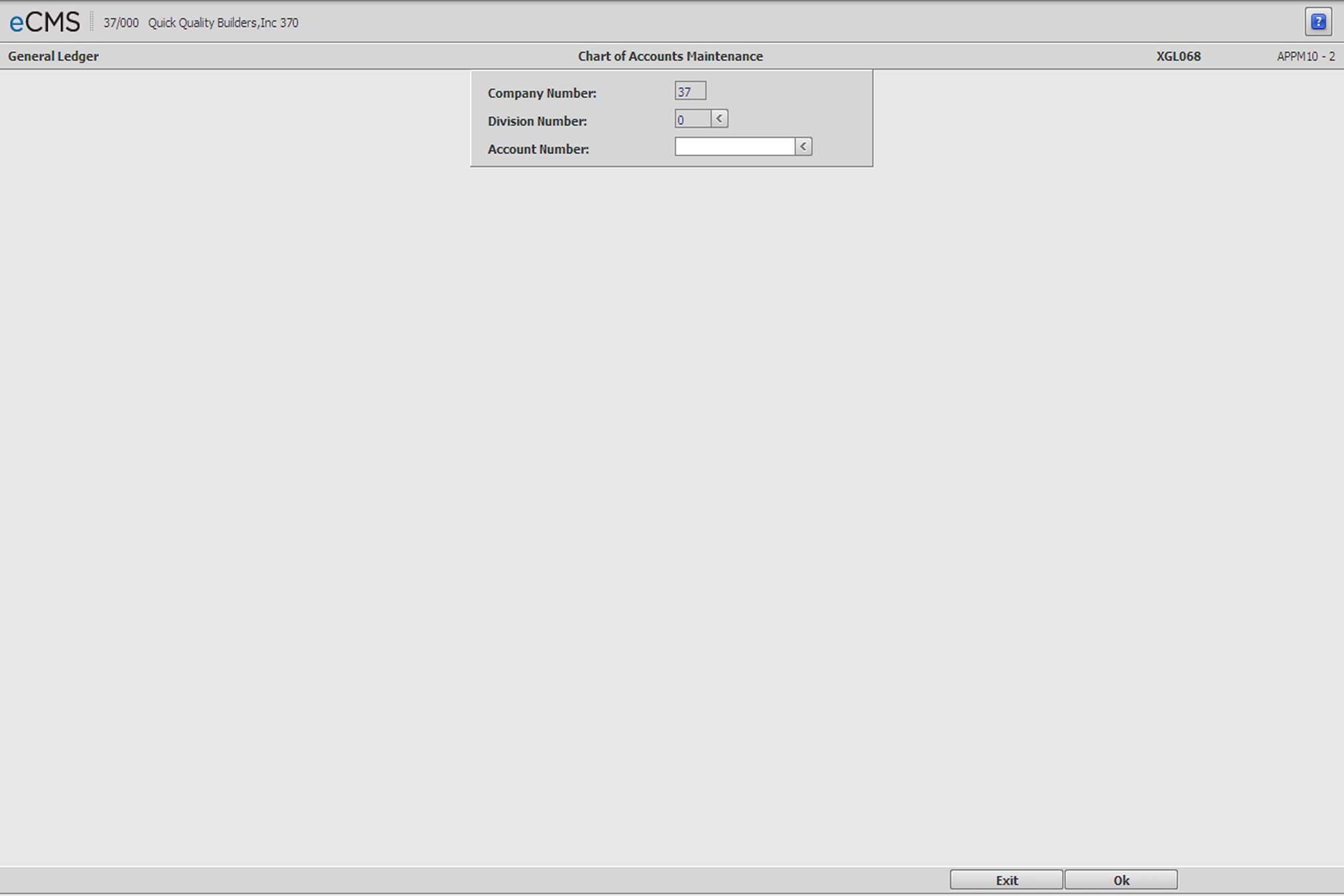
Chart of Accounts Selection screen
Company Number/Division Number
Accept the default values, or click the Division Number prompt to make these sections from a list.
Account Number
Enter the General Ledger account number to be maintained, or click the prompt to select from a list.
 |
Click to process these entries and display the Chart of Accounts Detail screen. |
 |
Click to return to the Main Menu without saving changes. |
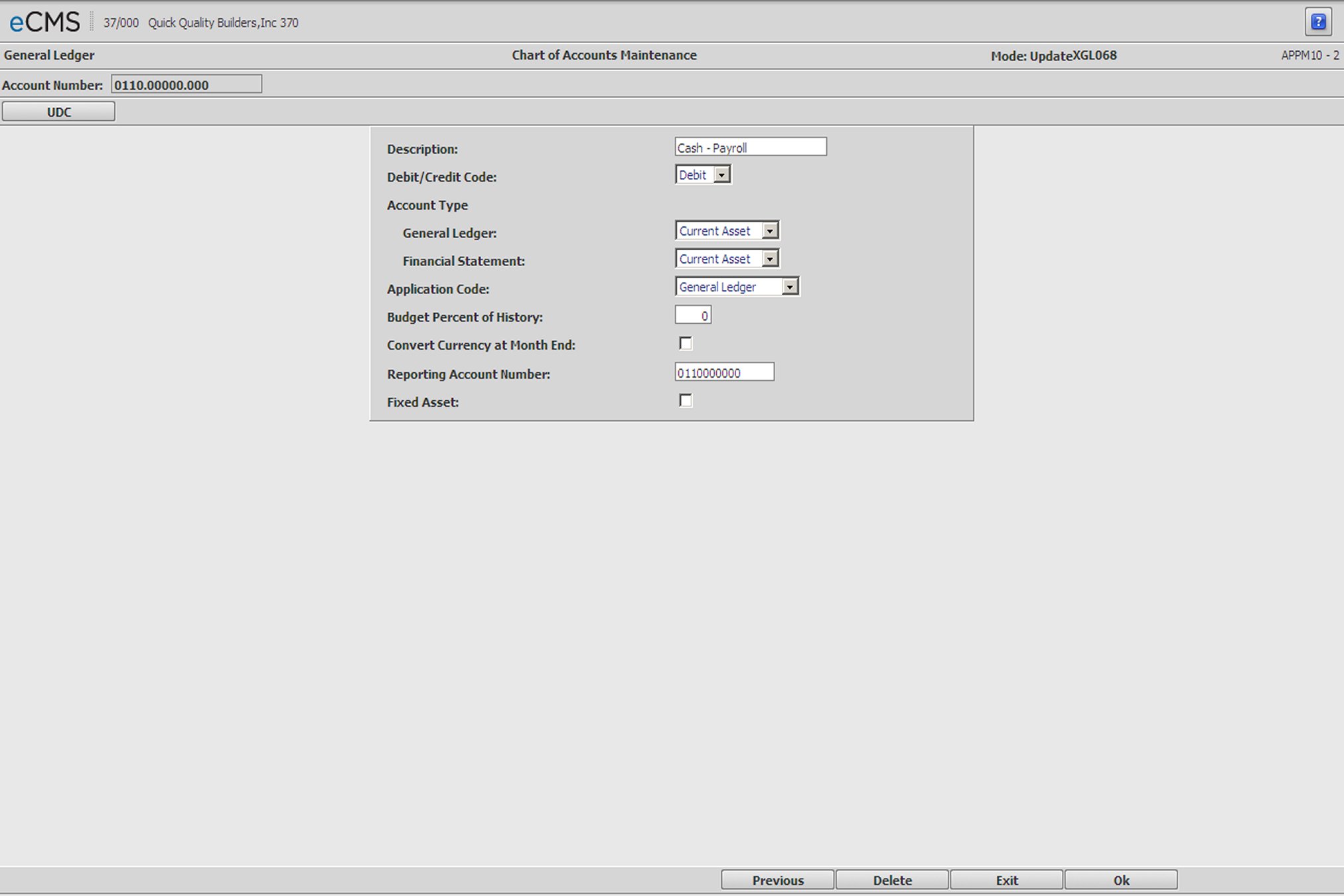
Chart of Accounts Detail screen
Description
Enter the account description. This description will print on the Financial Statement Worksheet and the Chart of Accounts Listing.
Debit/Credit
Click the prompt arrow and select one of the following from the drop-down list. This selection should reflect the normal balance status of the account, i.e. the bank loan account has a credit balance.
Debit |
Asset, Expense |
Credit |
Liability, Equity, or Income |
Account Type for General Ledger and Financial Statement
|
|
|
|
|
|
|
|
|
General Ledger
Click the prompt arrow and select one of the codes from the drop-down list. The General Ledger account type codes are used to determine the characteristics of an account. The General Ledger account type code is used to close accounts at year end. Income and expense account types are closed, asset, liability and equity types have their balances brought forward to the new year. The valid codes are listed above.
Financial Statement
Click the prompt arrow and select one of the codes from the drop-down list. This code allows Work in Process Accounts (normally assets and liabilities) to be used as income and expense accounts for Financial Statement Worksheet purposes. (This is the only report that uses this code.) Use of this feature lets you reflect profit or loss on either the completed contract or the percentage complete basis. The valid codes are listed above.
Application Codes
Click the prompt and select from the drop-down list.
|
|
|
|
|
|
|
|
|
|
|
|
The Application Code identifies the General Ledger Control Accounts. This code maintains integrity between the control accounts and their subsidiary ledgers.
Control accounts accept entries only when those entries are posted from predetermined sources, i.e. the Accounts Payable liability entry is only accepted by an account with an Application Code of Accounts Payable. Entries which include Job Cost Distribution coding, are only accepted by accounts which have an Application Code of Job Income or Job Cost.
Important: After an account has been deactivated (Application Code = Inactive Account), it can be reactivated by clicking the Reactivate tab.
Budget Percent of History
The Budget Percent of History field is used by the Calculate Budget option to create budget records for the current year.
If no entry is made in this field the system will use the G/L Default rate. If you do not enter a rate to either source, the budget records created with Calculate Budget from History will be the same as the prior year balances.
Convert Currency at Month End
Select this option to convert account currency Month End Close option from native to a base currency. The currency conversion rate used will be the rate specified in the G/L Account Number Rates file, if utilized, or the General Ledger defaults.
Reporting G/L Number
If you have a requirement to transfer data to another computer, or to produce financial reports using General Ledger numbers other than those used by this system, enter the alternate General Ledger number in this field.
This field is only used by G/L for financial reports.
Fixed Asset
Select this option if this is a fixed asset.
|
Click to process these entries and return to the Chart of Accounts Selection screen. |
|
Click to return to the Main Menu without saving changes. |
 |
Click to delete the current record. Accounts can be deleted only if they have no activity (current of history). |
 |
Click to return to the Chart of Accounts Selection screen without saving changes. |