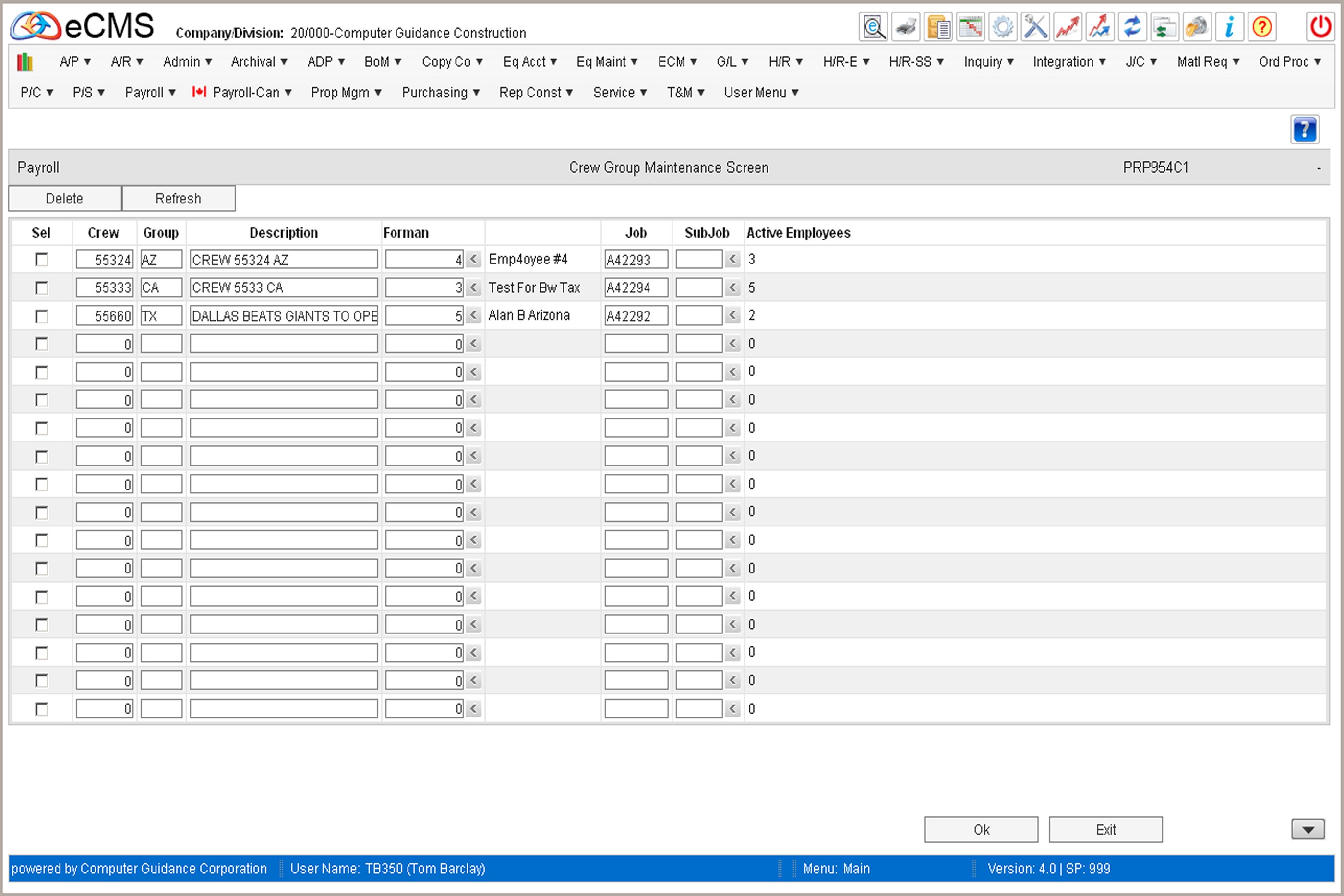
Crew Maintenance
This menu option is currently used to setup the Crews used in Mobile eCMS. Employee data can be downloaded to the iDevice for Employees selected individually, or as part of a Crew.
Sel
Selected Crews will be removed by clicking the DELETE tab.
Crew/Group
Enter the Crew and/or Group.
Description
Provide a description for this Crew.
Foreman
Enter the Foreman's Employee Number, if applicable, or click the prompt to select from the Employee Master.
Job/Sub Job
If you wish to assign this Crew to a Job/Sub Job, make those entries or click the Sub/Job prompt to select from a list.
Active Employees
When you click OK, this field will populate with the number of active Employees assigned to this crew in their Employee Master.
 |
Click to delete the selected Crews. |
 |
Click to return to the Main Menu without saving changes. |
 |
Click to process these entries and populate the Active Employees column from the Employee Masters. |
 |
Click to return to the Main Menu without saving changes. |
