This menu option is used to calculate Reciprocal Tax based upon an employees Resident Taxing Authority, and the Job Locations Taxing Authority.
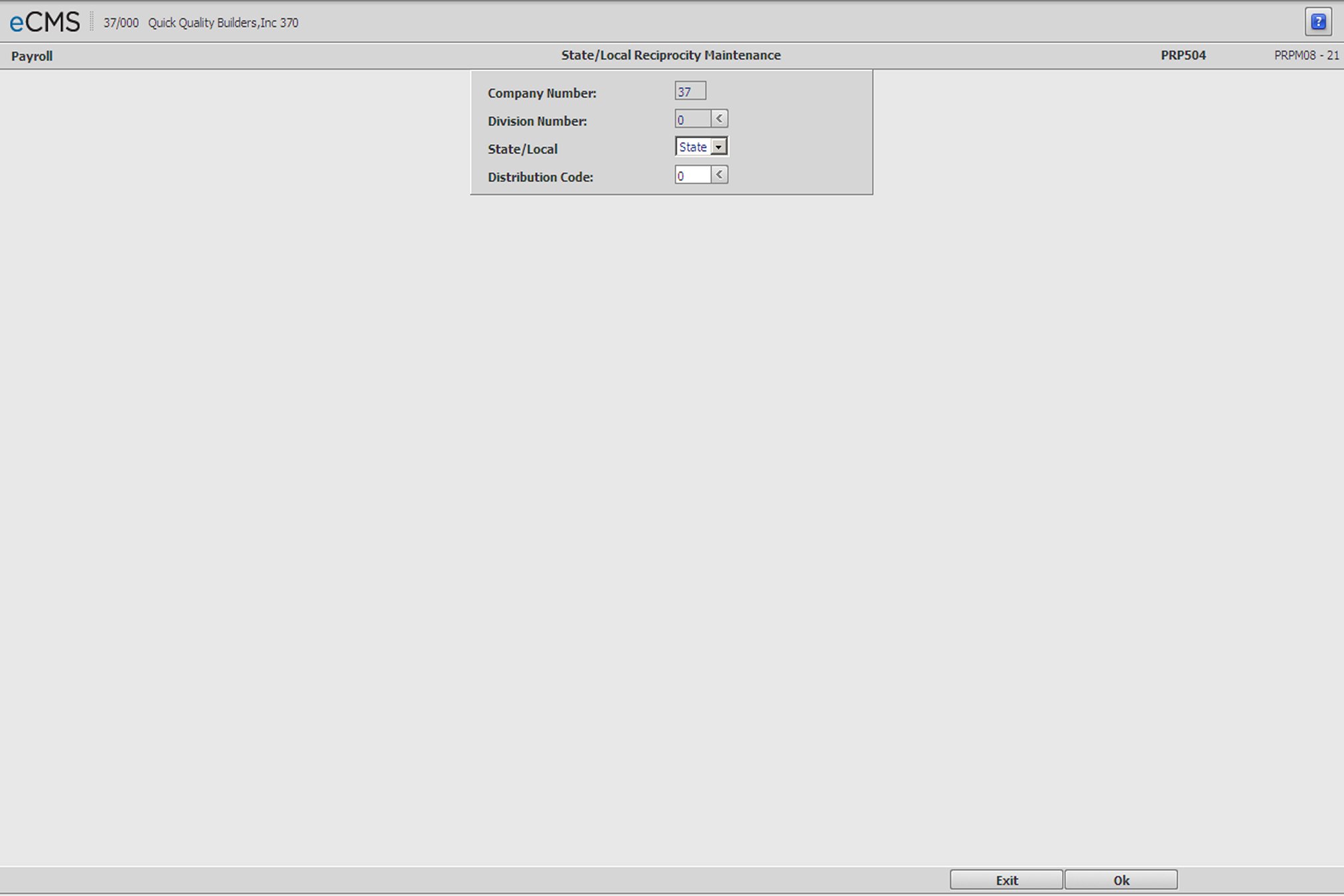
State/Local Reciprocity Selection screen
Company/Division Number
Accept the current Company/Division, or click the Division Number prompt to make new selections from a list.
State or Local Code
Click the prompt and select either State or Local as the type of code for this record.
Distribution Code
Enter the Distribution Code for this record, or click the prompt to select from a list Distribution Codes are set up using the Distribution Master.
 |
Click to process these entries and display the State/Local Reciprocity Detail screen. |
 |
Click to return to the Main Menu without saving changes. |
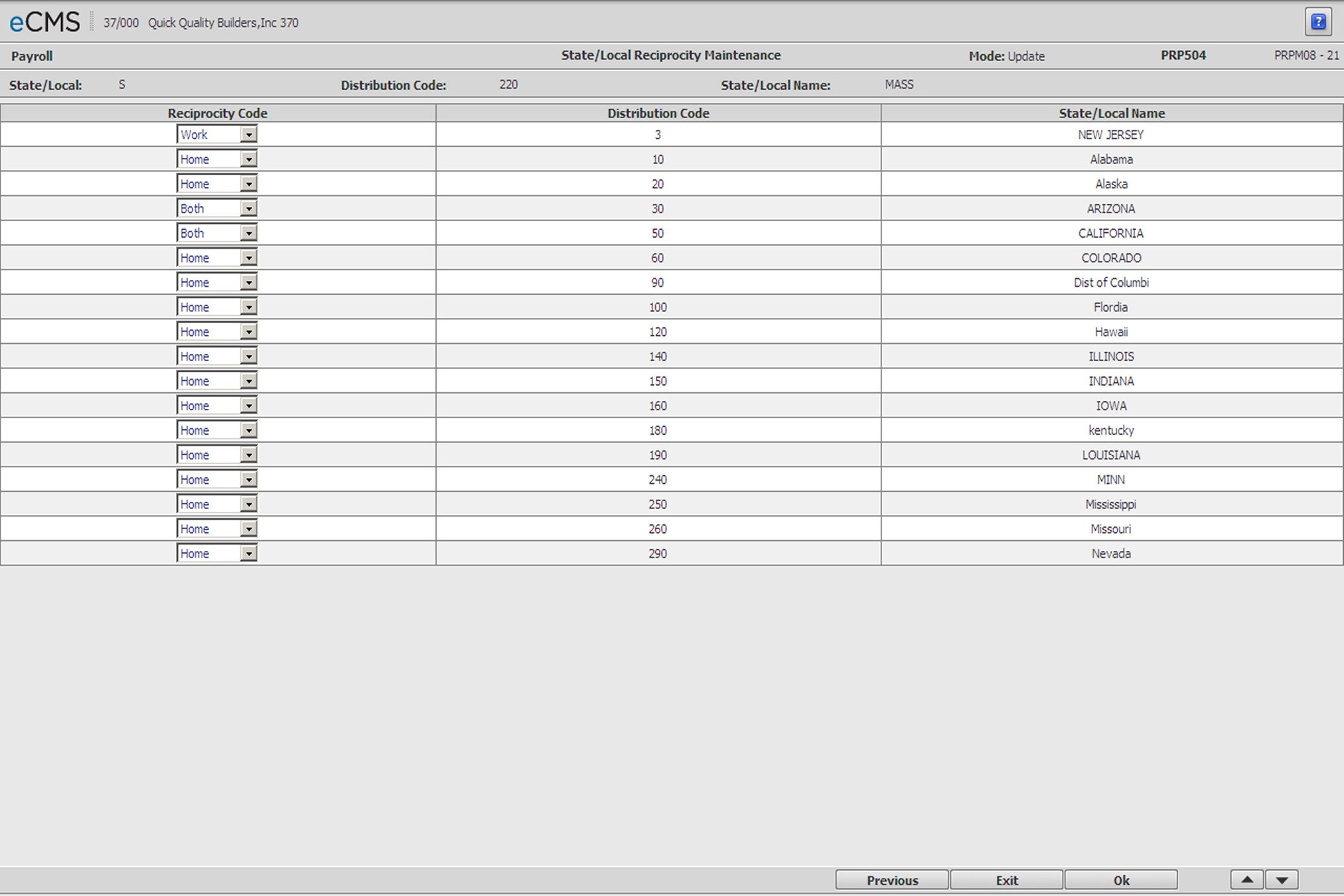
State/Local Reciprocity Detail screen
Reciprocity Code
Click the Reciprocity Code prompt and select one of the following from the drop-down list.
Home |
Taxes will be calculated using only the State Local Code in the Employee Master file. |
Work |
Taxes will be calculated using only the State Local Code in the Job Description file. |
Both |
Taxes will be calculated using both the State/Local Codes in the Employee Master and Job Description files |
Reciprocity |
Taxes will be calculated based on the State/Local code in the Job Description file first, and then the State/Local code in the Employee Master. For example: If the State code in the Job Description file is equal to 5%, and the State code in the Employee Master file is equal to 6%, the system will take the 5% for the Job and the additional 1% for the Employee Master state code. If the employee master state code percent is less than the job description state code percent, then it will not calculate any tax for the state code in the employee master file. |
|
Click to process these entries and return to the State/Local Reciprocity Selection screen. |
|
Click to return to the Main Menu without saving changes. |
 |
Click to delete the current record. |
 |
Click to return to the State/Local Reciprocity Selection screen without saving changes. |