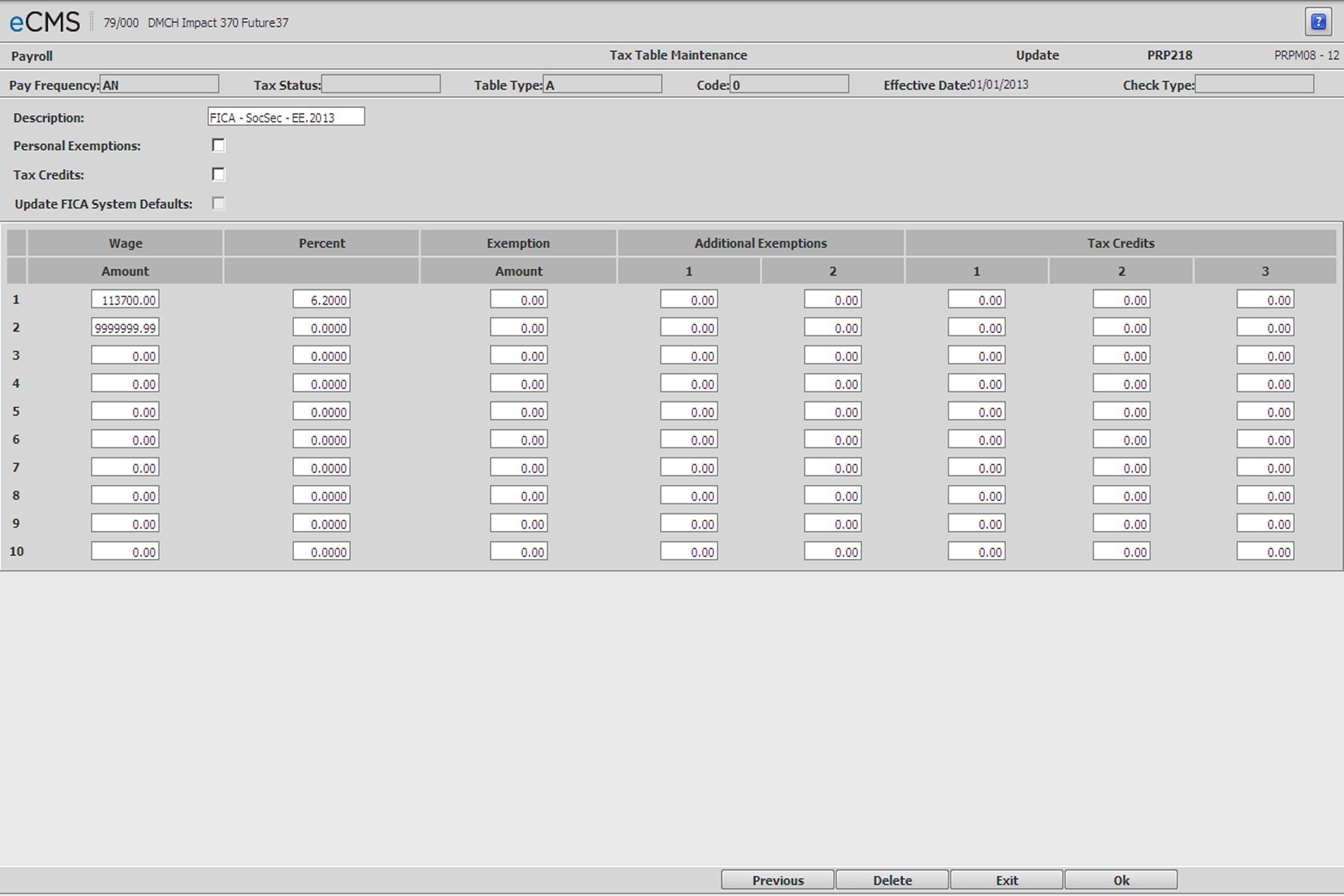
Employee Tax Table - FICA Annual, Social Security and Medicare
Employee Tax Table Detail FICA Annual, Social Security and Medicare screen
Header
Description
Enter in a description for the Tax Table. i.e. Federal Weekly Married, California Weekly Single.
Personal Exemptions (Exempt)
Select this option if this table uses personal exemption amounts in determining the net amount of taxable income.
Clear this option if the amounts in Exemptions column will not be used to compute taxes. This answer is usually appropriate when setting up a State Tax table.
Federal exemptions are maintained in the Employee Master.
State exemptions are maintained in the Employee State & Local Master.
Tax Credits
Select this option if this table uses tax credits to determine the net amount of tax to be deducted. When the Employee Tax Table Detail - Tax Credits screen displays, it will contain a prompt for Tax Credit Entry Types.
Update FICA System Defaults
Selecting this option will use the Wage Limit and Percent entered below to update the Employee FICA Social Security or Medicare payroll defaults.
Admin | Application Installation | Set Up Default Values - Payroll option, screen 1
Detail
Wage Amount and Percent
Enter each of the Wage Amount Limits and Percentages from the Federal (Circular E).
Each table consists of up to 10 combinations of limits and percentages. Enter the limit and the tax percentage for each earnings bracket. If earnings taxed are over 00000000, enter 999999999 on Line 1 Wage Amount and the percentage of tax in the Percent field.
Exemptions/Additional Exemptions
Use these fields to enter exemptions used to determine the net amount of taxable income.
Tax Credits
If Tax Credits are used, use these fields to determine the net amount of tax to be deducted.
 |
Click to process these entries and display a second Employee Tax Table Maintenance screen on which to enter additional taxable wage amounts, calculation percentages, and other information applicable to the tax table being maintained. When finished, click OK once more to display a screen determined by the options selected. |
 |
Click to return to the Main Menu without saving changes. |
 |
Click to delete the current record. |
 |
Click to return to the Employee Tax Table Selection screen without saving changes. |