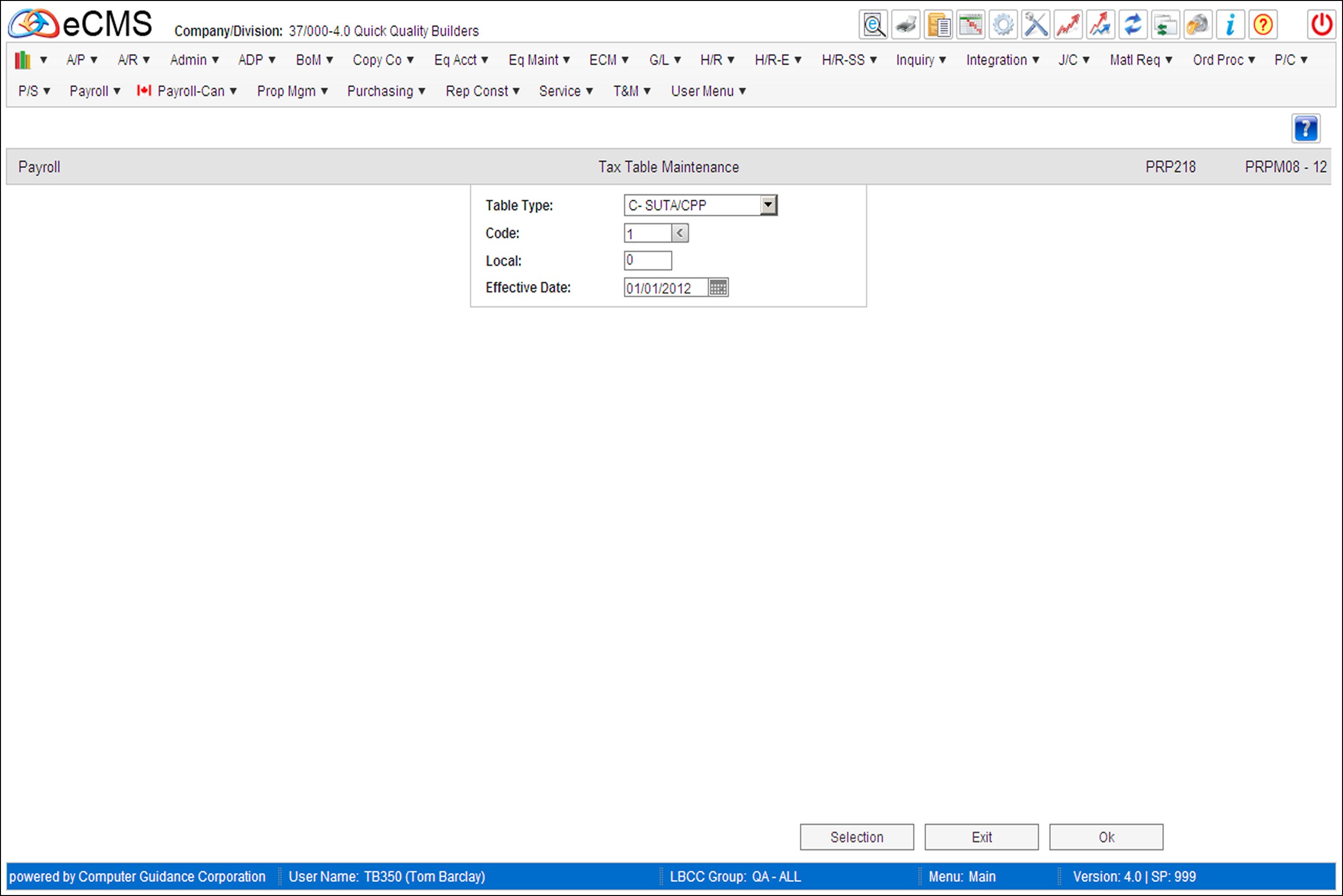
Employer Tax Table Selection screen
This screen is accessed by selecting the Employer Tax Tables option on the Employee / Employer Tax Table Selection screen.
FUTA Tax Credit Reduction
It will be necessary to enter a B-FUTA record for each participating state in which you were required to pay unemployment tax.
Note: The system will use the Company/Division Numbers used at login.
Table Type
Click the Table Type prompt and select one of the following to indicate the type of Taxing Entity to be used.
B - FUTA
C - SUTA/CPP
L - Local
T - SDI/EI
G - Medicare FICA
A - Social Security FICA
Code
Enter a valid code for this state taxing, or click the prompt to select from a list. Refer to the Computer Guidance Corporation list of state codes for State, SDI/Local and SUTA tax tables. Standard state codes are listed in the Distribution Master file.
Local
Enter a local number if you are using an Employer paid local.
Effective Date
Enter the date this table will take effect.
 |
Click to process these entries and return to the Employer Tax Table Detail screen. Enter additional information to maintain another tax table or exit to the menu. |
 |
Click to return to the Main Menu without saving changes. |
 |
Click to return to the Employee/Employer Tax Table Selection screen without saving changes. |
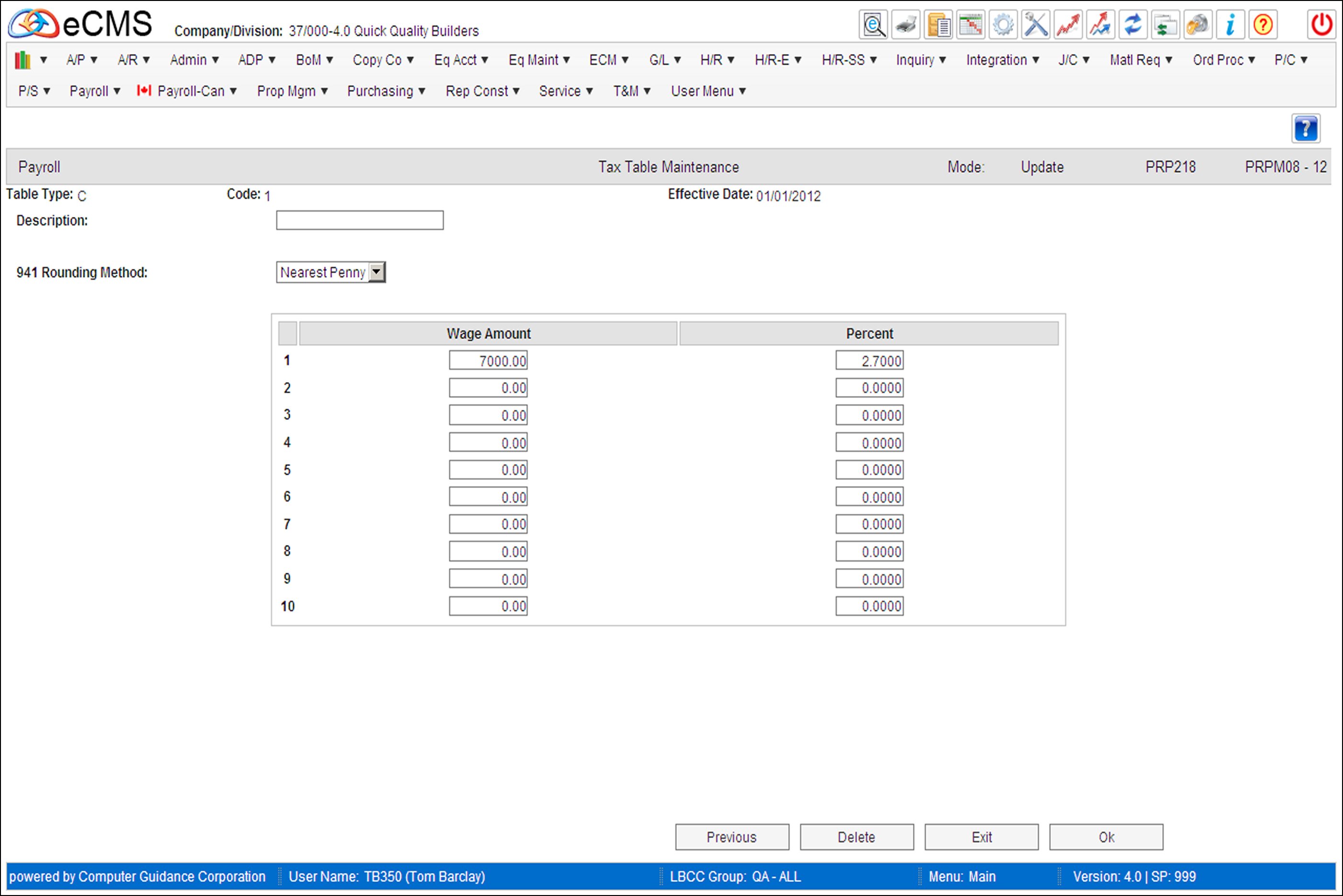
Employer Tax Table Detail screen
Header
Description
Enter a description for this tax table.
941 Rounding Method
From the drop-down list, select either Nearest Penny or Nearest Dollar as the rounding method.
Detail
Wage Amount/Percentage
Enter each of the Wage Amount Limits and Tax Percentages from the Federal (Circular E), or State Tax Guides.
This table consists of up to 10 combinations of Wage Amount Limits and Tax Percentages. Enter the upper wage amount limit and the tax percentage for each earnings bracket. Enter 999999999 as the wage amount limit for the highest bracket, which covers all earnings over a stated amount.
ALL 9'S LIMIT
If there is only one tax bracket, enter all 9s as the limit amount on Line 1.
|
Click to process these entries and return to the Employer Tax Table Selection screen. Enter additional information to maintain another tax table or exit to the menu. |
|
Click to return to the Main Menu without saving changes. |
 |
Click to delete the current record. |
|
Click to return to the Employer Tax Table Selection screen without saving changes. |